Outdoor Campus Networking: Connecting Parking Lots, Walkways, and Common Areas
15 Visits
A campus may approve new parking-lot cameras, outdoor wireless access points, and emergency phones only to discover that many endpoints are beyond copper Ethernet’s 100-meter channel limit and have no convenient source of power. Weather exposure, electrical events, bandwidth requirements, and limited maintenance access make the problem more complex.
Effective outdoor campus networking uses fiber for long-distance backhaul, environmentally appropriate edge equipment for fiber-to-copper conversion, and Power over Ethernet for the final connection to cameras, access points, phones, sensors, and other remote devices.
What Is Outdoor Campus Networking?
Outdoor campus networking is the infrastructure that extends secure Ethernet connectivity from buildings and network rooms to parking lots, garages, walkways, courtyards, athletic fields, entry points, transit areas, and other outdoor spaces. It typically combines fiber backhaul, remote edge equipment, local power, PoE-enabled copper connections, environmental protection, and centralized network management.
A “campus” can be a university, hospital, corporate complex, airport, municipal property, resort, industrial site, research facility, stadium, or any multi-building environment with distributed outdoor network devices.
Typical endpoints include:
Fixed, PTZ, multisensor, and license plate recognition cameras
Outdoor Wi-Fi access points
Emergency phones and call stations
Access control readers and intercoms
Environmental and operational sensors
Digital signs and passenger-information displays
Outdoor IoT and building-management devices
The central design question is not simply how to run a cable outdoors. It is how to deliver sufficient bandwidth and power to each endpoint while protecting availability, security, maintainability, and future expansion.
Why Outdoor Campus Networks Are More Difficult to Design
Outdoor campus networks must operate across longer distances and under less predictable conditions than conventional office LANs. Power may be unavailable at the endpoint, outdoor cable routes may be exposed to lightning or physical damage, and one remote uplink may aggregate traffic from several critical devices.
Campus challenge
Design implication
Common engineering response
Endpoint beyond 100 meters
A standard copper Ethernet channel is insufficient
Use fiber backhaul or an appropriate PoE extender
No power beside the device
The remote PSE cannot operate without an energy source
Provide local AC/DC power, an enclosure power system, or a qualified extender design
Heat, cold, moisture, or condensation
Commercial indoor equipment may operate outside its rating
Use hardened equipment and a properly rated enclosure
Lightning and ground-potential differences
Conductive outdoor links may experience damaging electrical events
Use fiber where practical, with engineered grounding and surge protection
Multiple remote devices
Individual home runs become inefficient
Terminate fiber at a remote multiport PoE switch
High-resolution video or dense Wi-Fi use
The uplink may become a bottleneck
Calculate aggregate traffic and select suitable uplink capacity
Critical safety or security service
A single link or power failure may create unacceptable exposure
Evaluate redundant paths, backup power, monitoring, and recovery
Limited maintenance access
On-site resets and troubleshooting are expensive
Use managed equipment with remote visibility and PoE control
Future endpoint growth
Enclosures, fiber strands, ports, and power may be exhausted
Reserve capacity in the initial campus network design
Distance is only the first constraint. A functional design must consider fiber availability, optical compatibility, electrical power, enclosure performance, network segmentation, traffic demand, PoE capacity, physical security, and failure recovery together.
Extending the Campus Network with Fiber
Fiber is generally the preferred medium for long-distance connections between campus buildings and remote outdoor aggregation points. Unlike common twisted-pair Ethernet channels, fiber can span campus-scale distances while supporting high-bandwidth uplinks and avoiding a conductive copper data path between locations.
The distance supported by a specific fiber link depends on the Ethernet rate, fiber type, transceivers, connector losses, splices, and total optical budget. It should never be estimated from cable type alone.
Single-mode versus multimode fiber
Single-mode fiber is normally considered for longer runs, new campus backbones, or designs that need greater distance and future flexibility. Multimode fiber may remain appropriate for shorter links, particularly when a campus already has usable multimode infrastructure.
The correct choice depends on:
Existing fiber type and condition
Required distance and data rate
Available strands
Connector and patch-panel configuration
Compatible SFP or fixed-optic interfaces
Link-loss budget
Upgrade plans
Cost of new construction versus reuse
An existing campus fiber plant can often support new outdoor network devices, but only after its strand assignments, connector types, attenuation, patching, and optical compatibility have been documented and tested.
Fiber topology options
A point-to-point link connects one building switch to one remote edge location. It is straightforward and isolates troubleshooting to one path.
A star topology connects multiple remote locations back to a central distribution point. It provides operational clarity but requires sufficient fiber strands and central ports.
A daisy-chain topology passes connectivity through multiple edge locations. It can reduce fiber usage, but an upstream failure may affect downstream devices unless the architecture includes an alternate path.
A protected ring provides two possible paths around the network. Ring recovery depends on the selected equipment, topology, and supported redundancy protocol. RSTP, MRP, or other mechanisms should only be specified after confirming support in the exact product datasheet.
Plan the fiber link as a system
Before choosing a media converter, switch, or SFP, document:
Fiber type, distance, strand count, and connector type.
Required Ethernet speed at each edge location.
Optical loss from cable, connectors, splices, and patching.
Transmitter and receiver specifications for both ends.
Uplink traffic under normal and peak conditions.
Need for a second uplink, ring, or diverse physical route.
Spare strands, ports, enclosure space, and power for expansion.
SFP modules at both ends must use compatible speeds, wavelengths, fiber types, and link budgets. Single-fiber bidirectional optics also require complementary transmit and receive wavelengths.
A fiber run can terminate at a PoE media converter when one or two devices need service, or at a PoE fiber switch when several nearby endpoints share the same edge location. Omnitron’s current OmniConverter PoE product family includes fiber-based options for extending Ethernet connectivity to PoE-powered devices.
Engineering takeaway: Use fiber to cross the long-distance portion of the campus, then place the fiber-to-copper and PoE function close enough to the endpoint to keep the final copper channel within its supported distance.
Delivering Data and Power at the Outdoor Network Edge
Fiber carries network data, not PoE electrical power. In a typical outdoor campus network, the equipment at the remote fiber termination requires local AC or DC power. That equipment then acts as Power Sourcing Equipment, or PSE, and delivers Ethernet data and power over the final copper connection to the Powered Device, or PD.
Typical signal path:
Core or building switch → fiber uplink → remote PoE media converter or PoE fiber switch → copper PoE connection → outdoor powered device
IEEE 802.3af, 802.3at, and 802.3bt represent progressively higher PoE capabilities. IEEE 802.3bt expanded standardized PoE by using all four cable pairs and extending classification for power management. Actual usable power at the endpoint is lower than power at the PSE because of cable losses, so the PD’s required input must be compared with the PSE’s delivered-power rating—not only its marketing category. See the IEEE 802.3bt standard overview.
Calculate PoE requirements before selecting equipment
For every powered device, record:
Supported IEEE PoE standard and class
Maximum operating power
Startup, heater, illuminator, or motor demand
Required data rate
Copper connector and cable requirements
Maximum channel length
Environmental rating
Operating temperature
Manufacturer-recommended power source
A camera may consume more power when its heater or infrared illuminator activates. A PTZ camera may have additional motor demand. An outdoor access point may require PoE+ or PoE++ to enable every radio or feature.
The total switch PoE budget must support the combined worst-case demand of all connected devices, allowing for cable loss, environmental conditions, startup behavior, and planned expansion. Selecting the highest available PoE rating without calculating the actual load can increase cost without solving bandwidth, enclosure, or compatibility problems.
Connecting Security Cameras Across Parking Lots and Walkways
An outdoor security camera network must be designed around placement, power, bandwidth, low-light performance, recording architecture, and failure impact. The correct link for a fixed camera may not be sufficient for a multisensor, PTZ, or license plate recognition camera with higher data and power requirements.
Account for camera type and operating mode
Fixed cameras often have predictable traffic and moderate PoE requirements. PTZ cameras can require more power for motors, heaters, wipers, or illuminators. Multisensor cameras may generate several video streams, while license plate recognition systems may require carefully controlled positioning, shutter settings, illumination, and reliable backhaul.
Bandwidth calculations should use the camera manufacturer’s expected bit rate at the selected:
Resolution
Frame rate
Codec
Image complexity
Low-light mode
Number of streams
Analytics configuration
Do not size the uplink by multiplying only the cameras’ nominal average rates. Evaluate peak traffic, protocol overhead, simultaneous viewing, firmware updates, and additional devices using the same link.
Video-retention requirements primarily affect recording-server and storage capacity, but they also influence the wider architecture. Centralized recording requires reliable continuous transport from the camera edge to the storage environment.
Use fiber-fed camera aggregation points
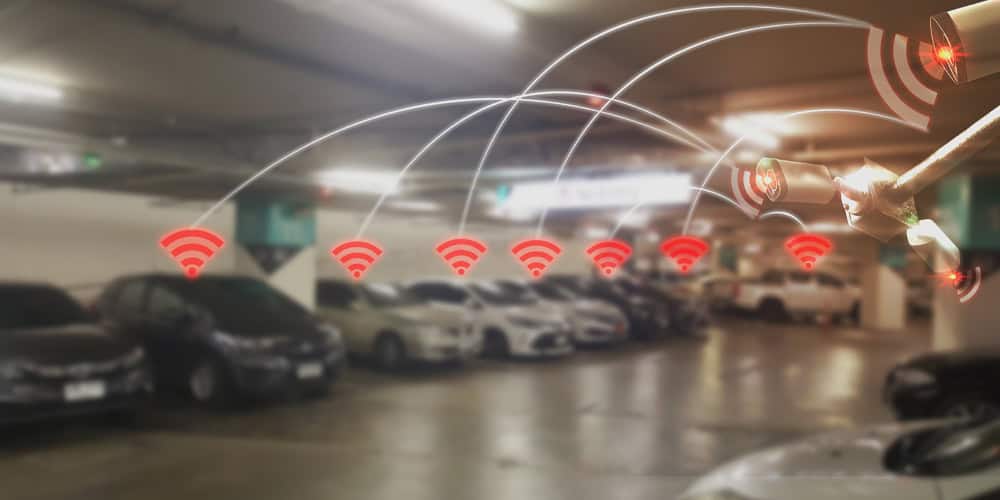
Instead of installing long copper home runs from every parking-lot camera to a building, a fiber uplink can reach a powered enclosure near the camera cluster. A remote PoE fiber switch then distributes short copper PoE connections to the cameras.
For example, a municipal complex may need four cameras around a remote parking area. The design team can extend a fiber uplink from the nearest communications room to a secure, powered enclosure and connect each camera to a separate PoE port. The final device selection must be based on aggregate bandwidth, each camera’s maximum power demand, fiber compatibility, environmental conditions, and the consequences of losing that aggregation point.
The camera network should also include:
A dedicated or appropriately segmented surveillance VLAN
Access controls between cameras, management systems, and users
Link and device-health monitoring
Backup power where required
A documented recovery procedure
Spare uplink and PoE capacity
Tamper-resistant enclosures and cable routing
Omnitron documents a similar architectural approach in its airport surveillance and Wi-Fi case study, where fiber-connected edge equipment supported outdoor devices across extended distances.
Connecting Emergency Phones and Call Stations
Emergency phones and call stations require dependable IP connectivity, adequate PoE, continuous monitoring, and coordination with the organization’s public-safety systems. Common locations include parking lots, garages, walkways, transit stops, athletic areas, campus boundaries, and remote gathering spaces.
The design team should determine:
Whether each phone uses standard or higher-power PoE
How calls and device-status traffic are segmented
Whether quality-of-service treatment is required
How the device reports faults or loss of connectivity
What happens during a utility-power failure
Whether the fiber route or edge switch is a single point of failure
How security personnel test and document operation
Whether visual communication, accessibility, or location-identification features are required
Backup power must cover the network path, not only the phone. A powered phone cannot communicate if its remote PSE, upstream switch, firewall, call server, or service-provider connection is unavailable.
Outdoor campus network architecture does not by itself establish compliance with accessibility, emergency communication, life-safety, or public-safety requirements. Applicable codes, authority requirements, institutional policies, and emergency procedures must be reviewed by qualified professionals.
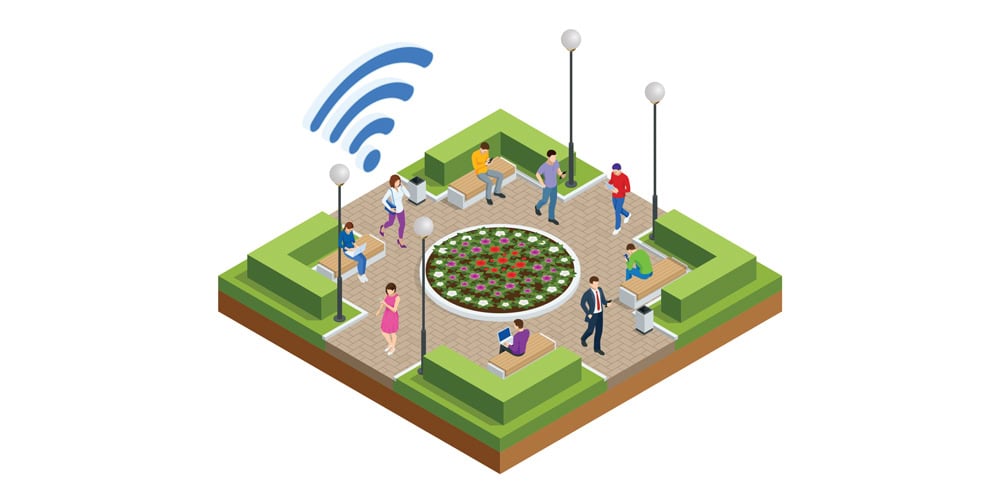
An outdoor Wi-Fi network can support students, employees, visitors, security personnel, maintenance teams, operational applications, IoT devices, and temporary events. Reliable performance, however, depends on radio design and wired backhaul—not simply the number of access points installed.
Coverage and capacity are different requirements
Coverage asks whether a usable signal reaches the client. Capacity asks whether the network can serve the expected number of clients and applications at an acceptable performance level.
A qualified RF site survey should evaluate:
Intended coverage areas
Building materials and physical obstructions
Trees, vehicles, terrain, and seasonal changes
Sources of interference
Channel reuse
Antenna pattern and mounting height
Expected client density
Roaming behavior
Application traffic
Weather-rated AP selection
Maintenance access
Adding access points without a site survey and channel plan can increase co-channel interference and reduce performance.
Match the wired edge to the access point
Modern outdoor access points may require PoE+ or PoE++, and some use multi-gigabit Ethernet interfaces to avoid limiting aggregate wireless throughput. Confirm the AP’s data rate, power class, cable requirements, environmental rating, and enabled-feature power demand before selecting the edge equipment.
Where the access point is far from the building, fiber can provide backhaul to a locally powered PoE media converter or multiport PoE fiber switch. Omnitron’s Wi-Fi distance-extension solutions describe both fiber-fed PoE options and copper PoE extenders for appropriate situations.
Choosing Between a PoE Media Converter, PoE Switch, and PoE Extender
Choose the device category according to distance, endpoint count, fiber availability, power, environment, bandwidth, and management requirements.
Network condition
Recommended device category
Best-fit deployment
Primary consideration
One or two remote devices need fiber-to-copper conversion and PoE
PoE media converter
Individual camera, phone, intercom, or access point
Confirm fiber interface, data rate, PoE output, and local power
Several devices are grouped near one fiber-fed location
PoE fiber switch
Camera cluster, outdoor Wi-Fi zone, or multi-device pole/enclosure
Calculate aggregate uplink traffic and total PoE budget
Endpoint is slightly beyond normal copper reach and fiber is impractical
PoE extender
Existing copper route with no convenient intermediate power
Verify supported reach, input power, output power, and cable condition
Several devices operate in a demanding environment
Industrial PoE switch
Roadside cabinet, parking structure, industrial yard, or exposed remote enclosure
Match temperature, input power, mounting, and environmental protection
Remote configuration, VLANs, alerts, or PoE recovery are required
Managed media converter or switch
Critical or difficult-to-access edge site
Confirm exact management and security features in the datasheet
A simple link has limited operational requirements
Unmanaged device
Low-complexity endpoint with accessible maintenance
Consider the lack of remote diagnostics and configuration
A product described as industrial or temperature-hardened is not automatically weather-sealed. Verify its ingress-protection rating and install it inside a suitable NEMA, IP-rated, or equivalent enclosure when required.
Environmental and Physical Design Requirements
Outdoor edge equipment must be selected as part of a complete physical installation. The enclosure, power supply, surge protection, cable entry, grounding, and mounting method can be as important as the Ethernet device.
Temperature, humidity, and condensation
Check the equipment’s rated operating temperature against the expected temperature inside the enclosure—not only the outdoor ambient temperature. Solar loading and internal power dissipation can make a sealed cabinet considerably hotter than the surrounding air.
Humidity, condensation, salt air, dust, insects, and water ingress require project-specific controls. Enclosure heating, cooling, ventilation, drainage, or desiccant systems may be necessary, but every opening and cable entry must preserve the intended enclosure protection.
Electrical and mechanical protection
A qualified design should address:
Enclosure ingress and impact ratings
Solar load and internal heat dissipation
Surge protection on power and copper circuits
Grounding and bonding
Lightning exposure
Separation from high-voltage conductors
Shielding requirements
Cable glands, drip loops, and strain relief
Pole, pedestal, or wall mounting
Tamper-resistant locks and fasteners
UPS or DC backup-power capacity
Safe technician access
Labeling and documentation
Fiber helps eliminate a conductive Ethernet path between locations, but it does not replace proper grounding, bonding, power protection, or treatment of metallic cable armor.
Electrical work, lightning protection, emergency systems, and code compliance should be reviewed by qualified electrical, networking, safety, and authority professionals.
Management, Security, and Network Resilience
Managed edge equipment becomes especially valuable when a device is difficult to reach. Remote visibility can help an operations team determine whether a fault involves the uplink, PoE delivery, endpoint, or wider network.
Depending on the exact model and datasheet, useful capabilities may include:
VLAN configuration
SNMP-based monitoring
Link-failure notifications
Port-status and traffic visibility
Remote PoE disable and restart
Powered-device monitoring
Rate limiting and traffic prioritization
RSTP or another redundancy protocol
Configuration export and restoration
Omnitron states that managed OmniConverter models can support functions such as VLANs, LLDP, rate limiting, Class of Service, and RSTP; availability varies by product. Confirm every required function against the current model documentation.
Protect the outdoor edge
Outdoor network equipment must be included in the organization’s cybersecurity program. Recommended controls include:
Segment cameras, emergency devices, Wi-Fi infrastructure, and management traffic appropriately.
Limit management access to authorized systems and personnel.
Replace default credentials with strong, unique credentials.
Disable unused ports, services, and protocols.
Maintain approved firmware and patch procedures.
Log configuration changes and security events.
Back up current configurations.
Protect management traffic through supported secure protocols.
Document switch, fiber, VLAN, IP, and endpoint assignments.
Monitor for unexpected devices and link-state changes.
Redundancy should follow the actual business impact of a failure. A secondary fiber path provides limited value if both routes share the same conduit, power source, cabinet, or upstream switch.
For critical areas, examine:
Physically diverse fiber routes
Dual uplinks or protected rings
Redundant power inputs where supported
UPS runtime
Spare equipment and optics
Automatic versus manual recovery
Fault-notification paths
Restoration time objectives
Periodic failover testing
Outdoor Campus Network Planning Checklist
Endpoint and application inventory
List every camera, AP, phone, intercom, sensor, controller, and sign
Record data rate, PoE standard, PoE class, and maximum power
Identify heaters, illuminators, motors, radios, and startup loads
Classify the operational impact of each device failing
Site and distance assessment
Map every endpoint and proposed edge enclosure
Measure cable routes rather than straight-line distances
Document buildings, poles, handholes, conduits, and pathways
Identify lightning, flooding, heat, corrosion, and tampering exposure
Fiber and bandwidth
Audit fiber type, strand availability, connectors, splices, and condition
Test existing fiber where appropriate
Calculate the optical budget
Confirm compatible SFP speeds, wavelengths, and fiber types
Calculate normal and peak aggregate traffic
Reserve uplink and strand capacity for expansion
PoE and electrical power
Calculate per-port and total PoE requirements
Include cable loss, startup demand, and environmental accessories
Confirm local AC or DC power at every fiber termination
Size power supplies and backup power for worst-case demand
Maintain reasonable spare PoE capacity
Environmental and physical design
Select equipment with an appropriate operating-temperature range
Verify whether equipment requires a rated outdoor enclosure
Address condensation, ventilation, solar loading, and drainage
Engineer surge protection, grounding, and bonding
Protect cable entries and provide strain relief
Provide tamper resistance and safe maintenance access
Resilience, security, and compliance
Identify unacceptable single points of failure
Evaluate diverse fiber routes and redundant uplinks
Define VLANs, access controls, and management boundaries
Establish firmware, credential, logging, and backup procedures
Review emergency, accessibility, electrical, and institutional requirements
Confirm protocol support in current equipment datasheets
Commissioning and documentation
Test fiber loss and copper certification
Verify PoE under full expected load
Test cameras, phones, APs, and monitoring functions
Conduct power-loss and failover testing where required
Record ports, optics, VLANs, IP addresses, and configurations
Create as-built drawings and a preventive-maintenance schedule
How Omnitron Supports Outdoor Campus Connectivity
Omnitron provides fiber connectivity and PoE options for extending Ethernet beyond conventional copper limits and delivering power over the final copper segment. Relevant product families include:
OmniConverter PoE media converters for fiber-to-copper conversion and PoE delivery to a small number of endpoints
OmniConverter PoE fiber switches for connecting several devices from one fiber-fed edge location
OmniConverter PoE extenders for qualified copper distance-extension applications
RuggedNet industrial PoE switches and extenders for locations requiring hardened operating characteristics
Managed fiber connectivity products for applications requiring VLANs, monitoring, fault visibility, or supported redundancy features
SFP-based connectivity options for matching fiber type, speed, wavelength, and distance
Product capabilities vary by model. Port counts, PoE output, optical reach, temperature range, management protocols, certifications, and enclosure requirements must be confirmed using the current product page and datasheet.
Omnitron’s free network design service can help end users, integrators, consultants, and channel partners review the topology, fiber infrastructure, device count, power requirements, environmental conditions, and appropriate equipment categories.
Build the Long-Distance Link with Fiber and Finish with PoE
The central principle of outdoor campus networking is straightforward: use fiber for long-distance campus backhaul and PoE-enabled copper for the final connection to cameras, emergency phones, outdoor access points, and other powered devices.
The execution requires careful engineering. Fiber optics, SFPs, uplink bandwidth, PoE demand, local power, enclosures, environmental exposure, cybersecurity, redundancy, and maintenance must be evaluated as one system.
To plan a new deployment or upgrade, request free network design assistance from Omnitron. Bring the proposed distances, endpoint list, topology, fiber details, and device power requirements so the team can help identify the appropriate media converter, fiber switch, PoE extender, industrial switch, and SFP configuration—and prepare an accurate quote.
Frequently Asked Questions
What is outdoor campus networking?
Outdoor campus networking is the infrastructure used to extend Ethernet connectivity from campus buildings to parking lots, walkways, courtyards, athletic areas, transit stops, entry points, and other outdoor locations. A typical design combines fiber backhaul, remote fiber-to-copper equipment, local power, PoE connections, environmental protection, network security, and centralized monitoring.
How can Ethernet be extended to a campus parking lot?
Ethernet can be extended to a parking lot by running fiber from a building or network room to a powered remote enclosure. A PoE media converter or PoE fiber switch converts the fiber connection to copper Ethernet and supplies PoE to nearby cameras, access points, or emergency phones. A PoE extender may be appropriate when fiber installation is impractical.
Is fiber better than copper for outdoor campus networks?
Fiber is generally better for long-distance campus backhaul because it supports longer links, high bandwidth, and electrical isolation between network locations. Copper remains appropriate for the final connection to PoE-powered devices. The correct architecture often uses both: fiber across the campus and short copper PoE channels between remote edge equipment and endpoints.
Can fiber-optic cable deliver PoE power?
No. Fiber-optic cable transports data using light and does not deliver PoE electrical power. The remote fiber termination normally requires local AC or DC power. A PoE media converter or PoE fiber switch at that location then supplies data and electrical power over copper Ethernet to the connected powered device.
How do you power a security camera located far from a building?
Run fiber from the building to a powered enclosure near the camera, then use a PoE media converter or PoE fiber switch to provide power and data over the final copper connection. The design must account for the camera’s maximum power, heaters or illuminators, cable loss, local power availability, environmental protection, uplink bandwidth, and backup-power requirements.
What is the maximum distance of standard copper Ethernet?
The commonly specified maximum channel length for standard twisted-pair Ethernet is 100 meters, or 328 feet, including permanent cable and patch cords. Actual compliance depends on the Ethernet standard, cable category, installation quality, connectors, and channel configuration. Devices beyond this distance normally require fiber backhaul, an intermediate switch, or an appropriate Ethernet or PoE extender.
When should a PoE media converter be used?
Use a PoE media converter when one or two remote devices require both fiber-to-copper conversion and PoE. It is commonly used for an individual camera, emergency phone, intercom, or wireless access point beyond copper’s normal reach. Confirm fiber compatibility, link speed, PoE capacity, local input power, environmental rating, and enclosure requirements.
When is a PoE fiber switch better than a media converter?
A PoE fiber switch is usually better when several cameras, access points, phones, or sensors are located near one remote fiber termination. It consolidates the devices onto one fiber-fed edge platform. The switch must have sufficient ports, uplink capacity, total PoE budget, environmental suitability, and management functionality for the proposed deployment.
Can PoE power an outdoor Wi-Fi access point?
Yes, if the access point and PSE support compatible PoE standards and the PSE can deliver sufficient power at the device. Some outdoor access points require PoE+ or PoE++ and may use multi-gigabit Ethernet. Verify maximum power, startup demand, cable requirements, enabled features, data rate, environmental rating, and copper-channel length.
What type of network equipment is needed for outdoor environments?
Outdoor locations may require temperature-hardened switches or media converters, properly rated enclosures, suitable power supplies, surge protection, grounding, cable-entry protection, backup power, and tamper-resistant mounting. Industrial equipment is not necessarily weather-sealed. Verify the exact device’s operating range and ingress rating and provide a NEMA, IP-rated, or equivalent enclosure where required.
How should emergency phones be connected across a campus?
Emergency phones can be connected through fiber-fed PoE switches or media converters located near the phones. The design should include reliable IP connectivity, adequate PoE, network segmentation, traffic priority where required, device monitoring, backup power, and documented testing. Qualified professionals must review applicable accessibility, emergency communication, electrical, life-safety, and authority requirements.
What should be included in an outdoor campus network assessment?
The assessment should include endpoint locations, measured cable routes, fiber availability, optical compatibility, bandwidth, PoE demand, local power, environmental exposure, enclosures, grounding, surge protection, redundancy, cybersecurity, compliance, expansion capacity, monitoring, maintenance access, acceptance testing, and documentation. Every product claim should be verified against the current manufacturer datasheet.